
5 Ways to Use AI Without Using Data Centers
What does the good steward principle look like in practice (screenshots included)
Sorry, this week’s newsletter is late; it is London Tech Week, and I have been at back-to-back events! Like I learned how to build a cute cyber deck this week using a Raspberry Pi.
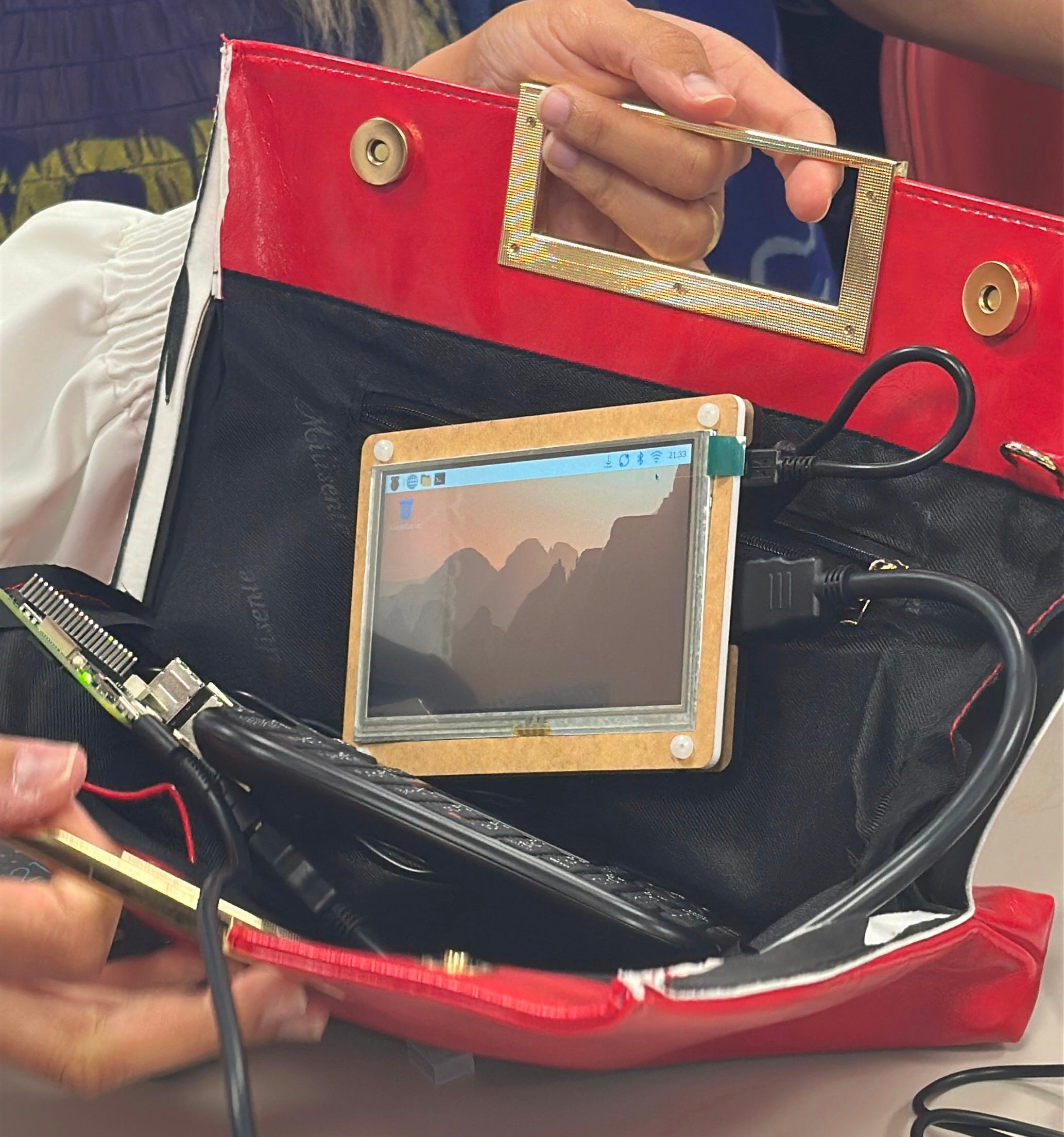
I also got to interview Henry, the co-founder and CTO of Cactus, which is revolutionizing how AI runs locally on low-energy devices/wearables and helping the rest of the AI industry catch up with the benefits of hybrid intelligence.
Okaay so let’s get into your questions from last week:
What is localAI good for?
It’s best for personal use and solo work. If multiple people need access to the same local LLM/AI system, you can set up a on-premises server in your home/office (important to note RAM prices have jumped significantly due to the global RAM shortage) or use a virtual private server (VPS) for your AI models.
The good steward principle is intended to help us think beyond binaries, either/or, and to think of AI use as a spectrum and not only as an individual problem or responsibility. It’s also important to note that not every cloud-based AI system has the same architecture or even policies. In the paid newsletter edition from a couple of weeks ago on analyzing your finances, we talked about distributed compute AI systems, cloud-based systems that can host larger open source models, and privacy-focused cloud models that prevent vendor lock-in and data retention for more powerful models. Cloud doesn’t always mean bad. What’s more important to discern is what happens to your data when it touches the cloud, who has access to it, and what systems get updated with your information.
5 LocalAI Use Cases
Please note that none of these are sponsored in any way; these are things I have come to use quite frequently in my workflow, and I literally have hundreds of tools and companies I personally keep track of and experiment with daily.
AI Meeting Notetaker
I use Meetingly, an open-source tool, to privately take notes when necessary in meetings. It creates a transcription and summary in your preferred style, and it all runs locally on the device.
Voice Note Taker and Transcriber
I’m currently using Gemma 4 via Google Edge AI Eloquent to dictate this newsletter (which has a huge update from the last localAI workshop…there is now a Mac desktop app 💃🏾). I also like dictating outlines for writing projects when I’m in free thinking mode and can’t type as fast as my mind is moving.

Another example, an archive was nice enough to send me an .mp3 of an interview (not available on their digital repository), so I don’t have to travel all the way out there to access the material. I plugged the .mp3 into my Gemma4 model to transcribe it, so that when I listened to the full thing for the first time, I could highlight where in the transcript I wanted to cite!
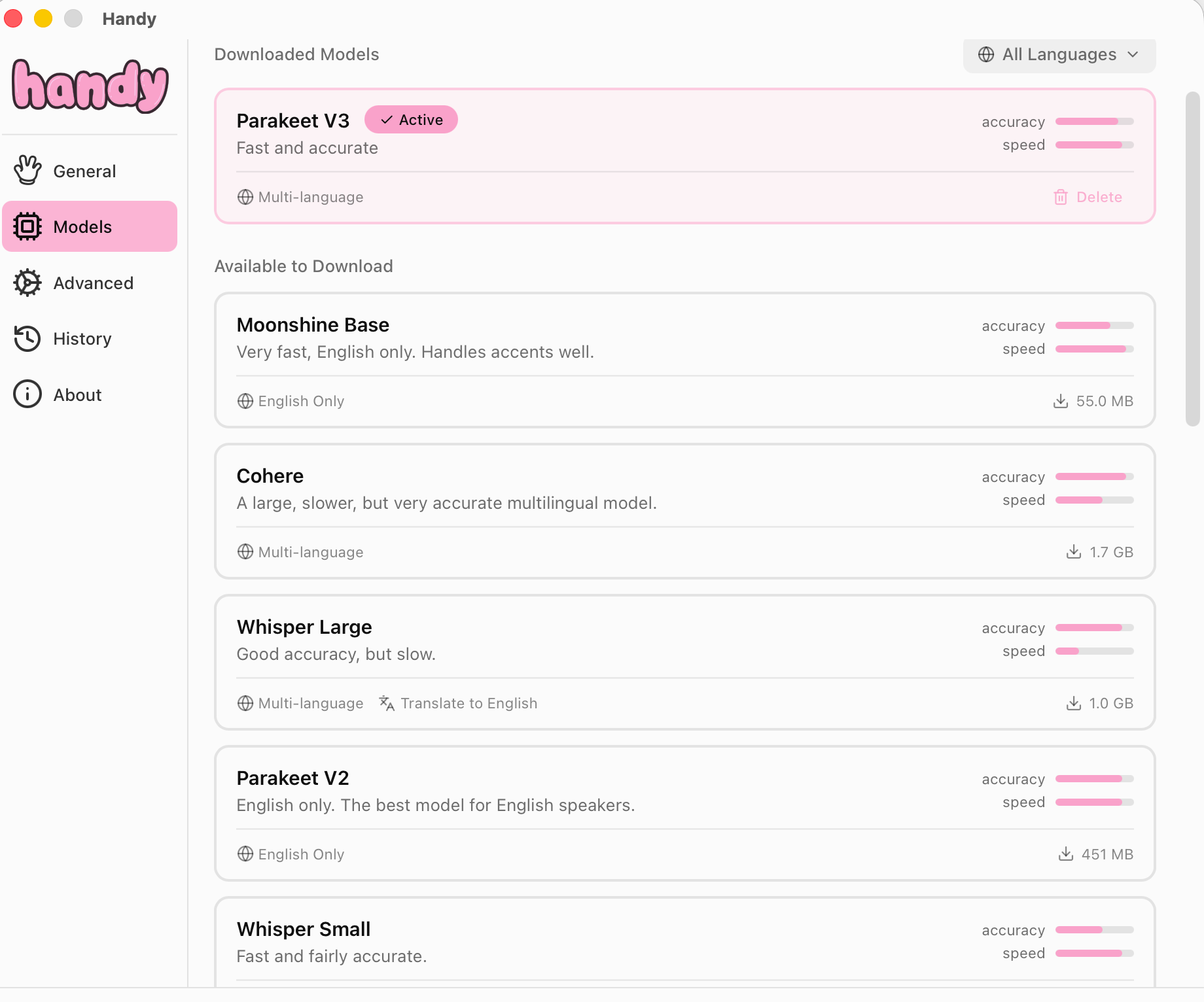
Now, some non-English speakers noted that Gemma wasn’t really accurate for their specific language. My other go-to is handy.computer, which lets you select a local AI model better suited to your needs. Also, if you, for whatever reason, don’t want to use a Google product, this is an option. Filter by language at the top right-hand corner, as you can see below:
Random Chatbot Inquiries
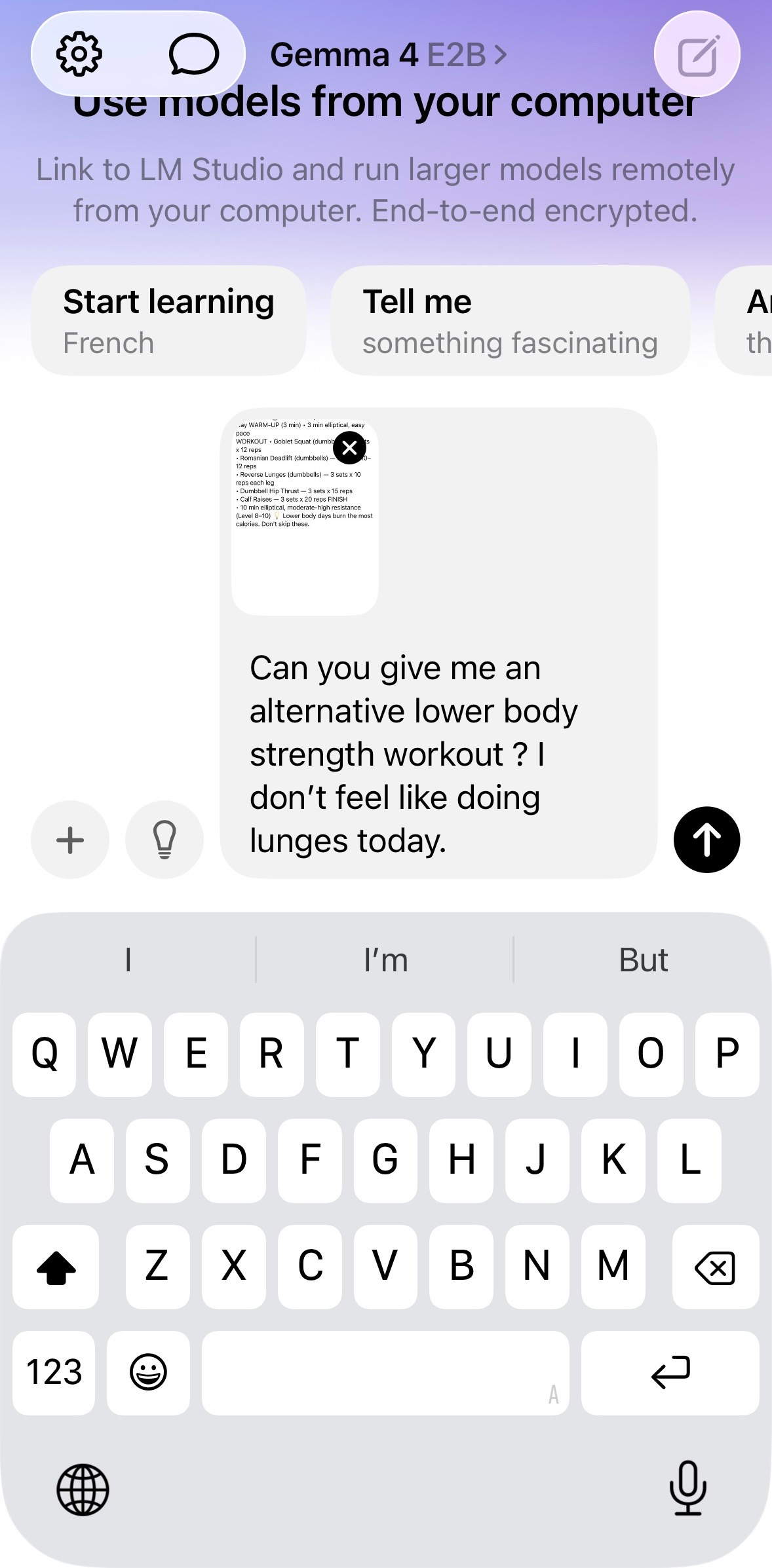
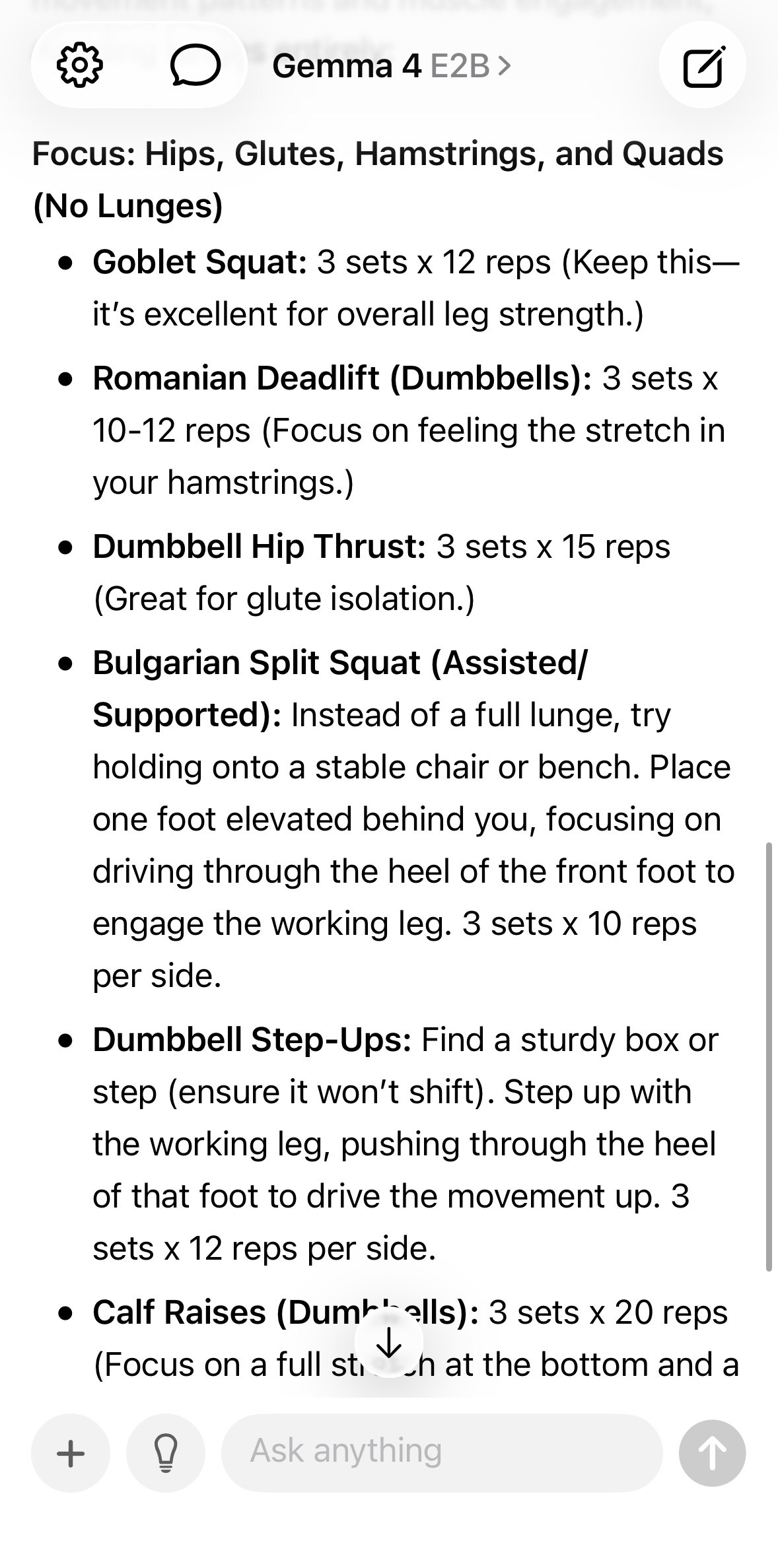
You can now access your local models saved on your computer in LM Studio through the locally iphone app! So, for example, I was at the gym this week and midway through the workout, I just didn’t feel like doing lunges for leg day, so I plugged in a screenshot of my current workout and asked for an alternative:
You can also use a localAi model for language learning, so having conversations in your target language and get corrections on the spot. I also really love this project called First Language AI Reality (FLAIR) which preserves indigenous languages and creates localai models to teach those endangered languages to the next generation, especially in rural parts where there is not consistent access to the internet (once again, not sponsored! I met the founders at a conference I was speaking at and learned more about the project there).
There are more advanced use cases
Obsidian AI Assistant
I have a pretty detailed and comprehensive knowledge base in my Obsidian (just fancy .md files in a cute UI is the best way to explain it). Since my knowledge base has a lot of private and personal information, I’m definitely not hooking it up to one of the mainstream models. Instead, I use an Obisdian plugin and point it at my local AI models (Mistral is one of my favs), and I can basically semantically search my pretty large knowledge base/archive.
So, for example, my Obsidian has these little book reports I used to write over the summers in college, and I was trying to remember one book I read and some references in it. I asked my Obsidian AI assistant, “ Is there a book I wrote about in the 2010s that touched on phenomenology from a black studies perspective?” It found the book report, my old college notes from my fav philosophy class, and an article I saved last year on phenomenology. This is basically called semantic searching instead of keyword searching.
Paid subscribers, let me know if you want a mini tutorial on setting up your Obsidian to run locally for the next paid newsletter!
Building Apps on LocalAI Models
I built a Zotero plugin that basically reads my papers to me when I start getting screen fatigue, or I just want to listen to my research papers while cooking or something. It also runs a semantic search for me (my Zotero library is huge and my notes on what I’ve read are even bigger). Here’s a video of my assistant reading to me
I also created an iPhone app for personal use to keep track of random thoughts, to-do items, reminders, and ideas I get during deep work. Instead of hooking it up to an API key, I built it on a small localAi model that runs on my iPhone and basically manages the app (The latest Apple update suggests building with local models on their devices will become easier). So whenever I’m working, and an idea pops into my head, not related to what I’m working on, I’ll say Hey Siri, can you capture this thought in [name of my app], and it gets saved, and I don’t get distracted.
An even more advanced case would be the finetuned local AI models running on my at-home server, but that’s a whole other lecture, really.
The point of this is to help give you a better sense of what localAI models can be used for. If you’re currently using a frontier model, try your use case on a local model instead, and you’ll be able to see how well it completes the task yourself.
I hope these use cases are helpful!
With care,
Shae
dictated via Gemma 4
Resources
A Beginner’s Guide to Local AI
Critical Thinking Skills Guide
Hi, I’m a PhD Candidate at Harvard, bridging the gap between AI and the Humanities. You can find me on YouTube, Insta, and Threads. Posts may contain Bookshop affiliate links, which means if you make a purchase, I may earn a small commission at no extra cost to you. Thanks for supporting my work!